
Cost – from free (subs available)
Conditions of testing – touring
Length of time tested – years
Value for money – 5/5
Quality – 5/5
Functionality – 5/5
Overall score 15/15

Maps are great, but sometimes, you want technology to help you. I have used the free version of Maps.me for a long time, you can have ten maps on the free version and when you need more, delete the ones you have used and install the new ones – as an example, Tenerife was one map.
Maps.me is quickly becoming the go-to offline maps app for travellers. I’ve been using it for many years, and it’s easily become a favourite for all our offline mapping needs. In fact, we even named it our top choice in our post, “The Best Offline Mapping Tools for Cycle Touring.”
While there are plenty of great offline and online map apps, Maps Me stands out from the crowd. It’s no wonder it has been downloaded over 100 million times and has more than 1 million ratings worldwide.
Open Source
One of the biggest challenges with map apps is the quality of their detailed maps. Google Maps and Bing rely on their own proprietary data, while Maps Me takes a broader approach by using open-source OpenStreetMap data. For those unfamiliar, OpenStreetMap is community-driven and completely open source.
The content comes from map lovers, GIS pros, everyday users, engineers, and anyone eager to share their local know-how. In 2017, Maps Me rolled out a built-in editor, letting users add their own edits to OpenStreetMap data. Since then, people worldwide have made over 1 million edits, averaging about 3,500 contributions every day.
Since 2015, the Maps Me app has been open source and is even available on GitHub, the most popular platform for sharing open source code. This means a community of developers works together to improve the app, and its code isn’t controlled or owned by a single entity.
Offline Maps
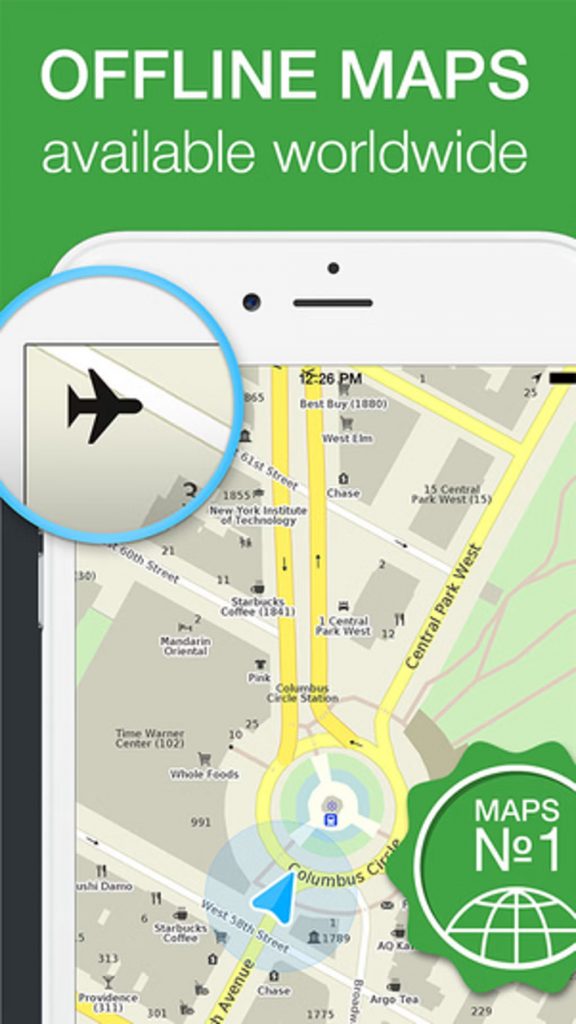
The best thing about using Maps Me is that it works completely offline. You can download maps in a special compressed format that gets updated once or twice a month. Since all the maps are stored right on your device, there’s no need for an internet connection after you’ve downloaded them.
This is super handy when you don’t have cell service, are in another country, prefer using paper maps, or just don’t want to rely on data. Whenever we travel, we preload maps onto our phones so we can always find our location and local resources.
The maps don’t just cover standard footpaths, bike routes, or roads—they also include hiking trails, often complete with names. We use Maps Me for backpacking, trail running, hiking, exploring a new city on foot, and even driving. It’s a big advantage over online maps that rely solely on the data they’ve scanned themselves, like Google Maps.
I used Maps Me during my visit to Tenerife to help me find some beautiful trail runs that we otherwise would never have located
Offline Search
An amazing feature of Maps Me is its ability to search offline without being connected to the internet. Using OpenStreetMap data, it lets users search by name, address, categories, or coordinates. We often rely on this feature while traveling in unfamiliar places.
Categories are especially useful when looking for something nearby, like the closest pharmacy, ATM, or public transportation.
Maps Me includes categories like Lodging, Shops, Health, Transport, Finance, Food, Business, Education, Entertainment, and Attractions in its default search feature.
In January 2017, Maps Me rolled out an update featuring a smart search tool that can understand misspellings and typos. Similar to Google Search, it figures out exactly what we meant to type.
One of my past frustrations with Maps Me was how easy it was to make typos on a smartphone. The buttons were so tiny that I’d often type something wrong without noticing, only to be left confused about why the app couldn’t find my location. Problem solved.
Now, you can use smart search to find accommodations based on user ratings and price filters, which is super handy when you’re in a new place and need something last minute. Before, we had to guess the cost by the number of stars.
Turn by Turn Directions / Route Planning
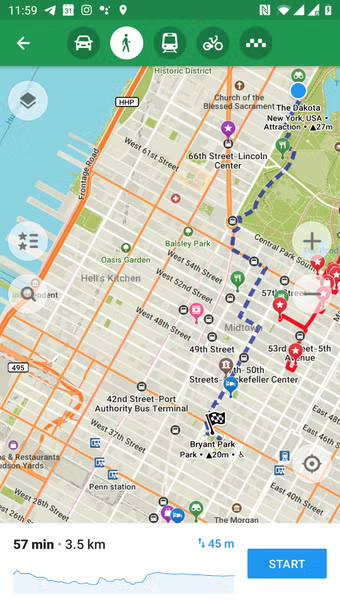
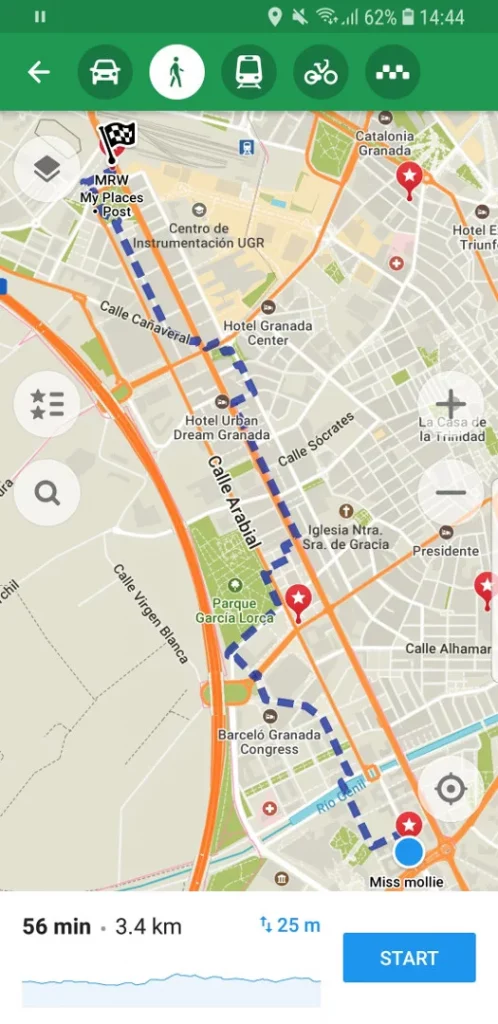
Like many popular navigation apps, Maps Me offers turn-by-turn directions. Honestly, they’re not quite as reliable as Google Maps, often prioritizing the fastest route without accounting for hills, tolls, or traffic. Still, there are a few bonus features that keep me coming back.
First, it features speed cameras in the navigation, which has saved us a few times while riding in Spain, where automated speed cameras will catch you even if you’re just a couple of kilometers over the limit. Unfortunately, I know this from experience all too well…
Second, the main reason to use Maps Me is that there’s no need for data. If I travel outside my usual location or change my mode of transportation, I can instantly map my routes on the spot without needing to reload a new map.
Lastly, the trail maps are some of the best I’ve seen in any app. We often use a couple of different mapping apps on long trail runs to make sure we stay on track, but no matter where we are, Maps Me consistently shows accurate trail info and offers more trails than any other app. This is especially handy during winter hikes when the trail is hard to follow or you’re the first one breaking it. It’s saved the day countless times during Seattle’s winter hiking season.
Integrations
Since we started using Maps Me, the app has seriously stepped up its integrations. It’s evolving into much more than just an offline mapping tool.
Find a Hotel
Since 2016, you can book accommodations through an integration with Booking.com, making it easy to check user ratings, price ranges, types, and how far they are from your location.
Find a City Guide
One of the relatively new features is the ability to find local guides in specific cities. Think guided tours by locals. This feature can be booked online and appears to be competing with the similar feature in AirBnB.com.
Points of Interest
Since Maps Me is connected to OpenStreetMap data, users can add points of interest like restaurants, cafes, banks, and virtually any business or park. This is especially handy when traveling offline and needing to find a location.
Book a taxi
Sometimes you just don’t feel like taking public transportation. Maps Me has teamed up with Uber, letting you quickly hail a rideshare right from the app. The best part is seeing estimated prices upfront, making it easy to compare costs in seconds.
Public Transportation
I love the new overlay feature in Maps Me. It lets me quickly layer the metro map over my current location, making it easy to plan my route. You’ll need an internet connection to use this feature.
Traffic Overlay
Just like with public transportation, you can overlay traffic on your current map, though you’ll need an Internet connection. Similar to Google Maps, the routes show colours based on traffic density or flow, making it easier to decide which mode of transportation to take.
Things to Consider:
Battery Life
Constantly using the turn-by-turn feature can quickly drain your battery. Maps Me detects when the app isn’t active and helps conserve battery life. Keep this in mind when you’re out hiking or away from a charger for a few days.
Share Your Location
When traveling, we often want to share our location so friends and family can find us. It’s easy to use the share feature to let others know where you are.
Bookmarks
I love that Maps Me lets me save bookmarks of my favorite spots for easy reference later. It’s so handy for sharing locations or revisiting places I’ve been before. Plus, you can back up your bookmarks and access them on other devices.
KML Import
Sometimes Jen discovers an epic hike or trail run and wants the exact route on our phones. By importing KML files from other sources into Maps Me, we can save them and easily access the route while out and about, making it simple to compare our location along the way.
Maps.Me Review Final Thoughts
By now, it is evident that Maps Me serves as our primary choice for offline maps and navigation, and with good reason—it holds the distinction of being the most widely used mapping application on both iOS and Android platforms.

Article written by Nige.
Last update: December 2025
Nige commutes to work on one of his ‘trusty’ bikes throughout the year, no matter the weather. He has toured most of the UK and mainland Europe. He is currently planning a RTW tour in stages and segments. Nige has used Maps.me all over the world including Africa and Asia.
We may receive a commission if you purchase a product using the affiliate links on any page of this website. This is at no cost to the purchaser, however does support our website and