
One of the best parts of travelling is escaping the noise and chaos of everyday life, but that same isolation can turn risky if trouble strikes. In remote parks or deep in the backcountry, mobile phones are often useless, so if you twist an ankle, lose your way, or need to reach out for help, the situation can get serious fast.
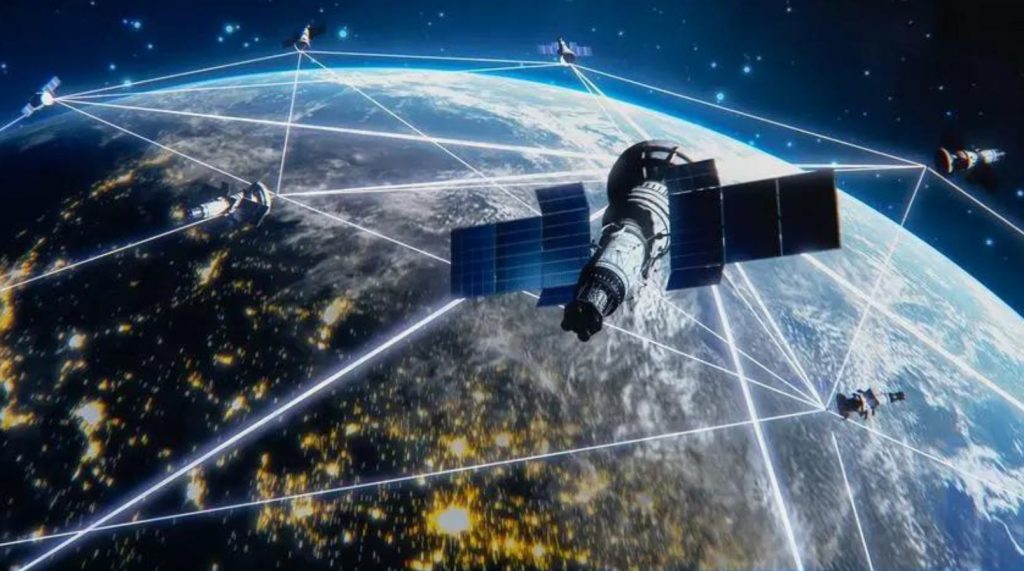
Fortunately, satellite messengers work without local towers, and as long as you’re under an open sky, they can send and receive messages from almost anywhere.
While they don’t offer voice calls like a satellite phone, satellite messengers come with an SOS button that sends your location to rescue teams, and many allow two-way texting or emailing so you can stay in touch with friends and family and share your whereabouts along the way. They aren’t cheap, and all need a monthly satellite plan, but if the time comes when you need one, it’s worth every penny.
Why a satellite communicator matters
Satellite communicators aren’t just cool tech—they can actually save lives.
These devices provide:
- Emergency SOS capabilities
- Two-way messaging
- Location sharing
- Weather updates
- Peace of mind for both adventurers and their loved ones
Choosing your satellite communicator
Consider your adventure style
- Frequency of Use: Occasional hikers might prefer flexible subscriptions
- Communication Needs: Two-way messaging vs. emergency-only
- Tech Comfort: Some devices require smartphone connectivity
- Geographic Range: Check satellite network coverage
Key purchasing considerations
- Battery life
- Message character limits
- Subscription costs
- Additional features (GPS, weather, etc.)
- Weight and portability
Tips for satellite communicator users
- Always carry extra batteries or a portable charger
- Familiarize yourself with the device before your trip
- Test messaging capabilities in different environments
- Keep the device easily accessible in emergencies
- Update device firmware regularly
How does a satellite messenger work?
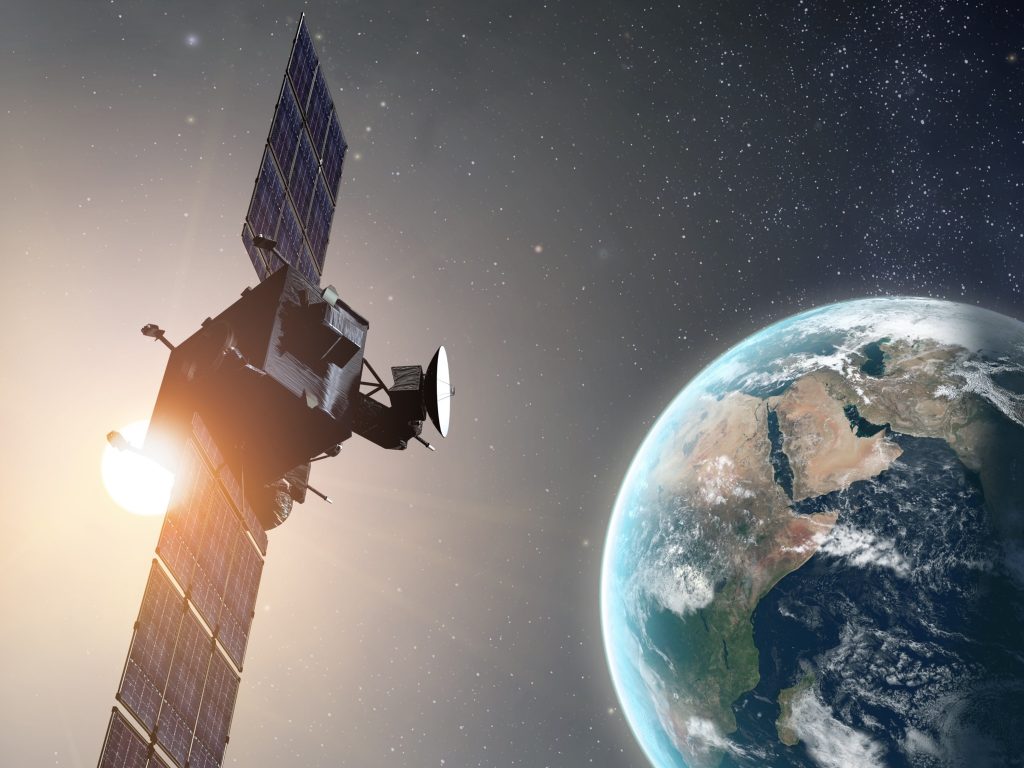
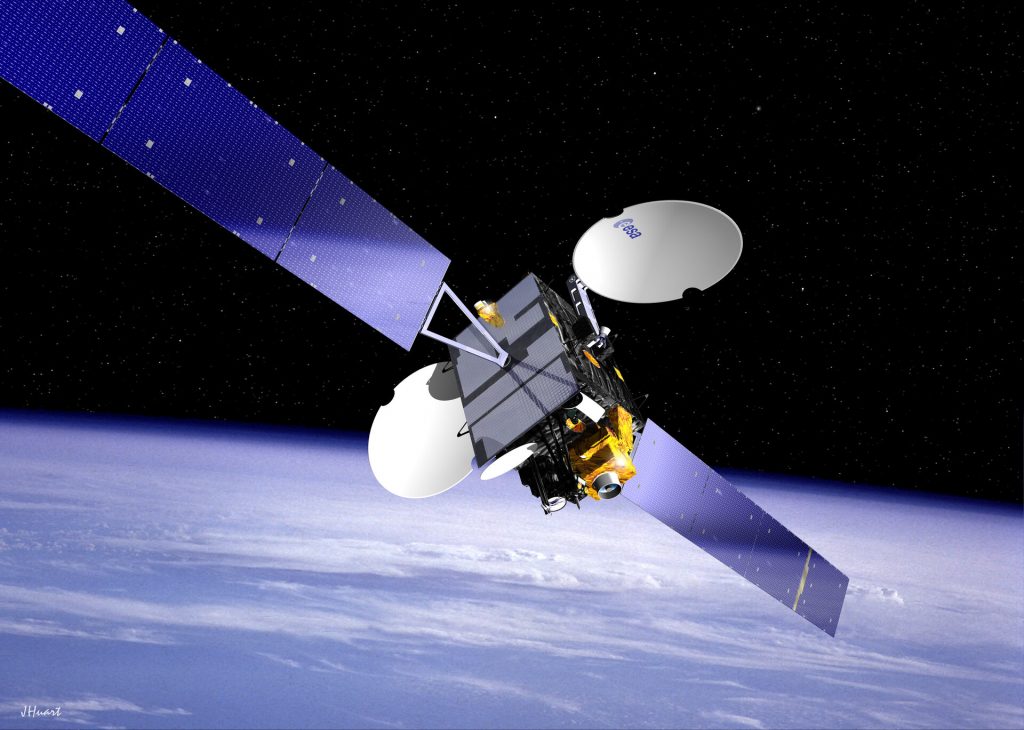
Unlike mobile phones that send and receive signals through nearby cell towers, satellite messengers connect directly to low Earth orbit (LEO) satellites about 485 miles above the planet. While commercial satellites are much higher than land-based towers—though still far below government satellites—they offer much better visibility, even in remote spots. Using a constellation of these satellites, their overlapping orbits create a blanket of global—or nearly global, depending on the provider—coverage.
While satellite connections are a lifesaver when traveling off the grid, they’re not as simple as tapping a button on your phone. Satellite messengers usually need to be used outdoors or at least through a window, with the antenna pointed at the sky for proper transmission and reception. Even a bit of interference between the antenna and satellite can impact the connection.
Different satellite messenger brands often rely on different satellite constellations, with the most common being Iridium (used by Garmin) and Globalstar (used by Spot and the iPhone’s SOS feature). Garmin’s Iridium network uses 66 satellites, offering complete global coverage, even at the poles. In contrast, Globalstar’s 24 satellites leave some gaps, particularly in parts of Asia and Africa.
When you activate the SOS feature on a satellite communicator—usually a clearly marked button with a cover to prevent accidental use—the signal goes from the satellite straight to that brand’s response center. A dispatcher there uses your location to notify the right authorities, who then launch the appropriate search-and-rescue efforts. Depending on your device’s features, the dispatcher might confirm your SOS, gather more details about your situation, and connect you with rescuers for two-way communication. Still, factors like your location, weather, and other conditions can mean it takes time for help to arrive.
What to look for in a satellite messenger
Along with the SOS feature included in all models, satellite messengers can come with a variety of other functions and capabilities. To get the best option without wasting money on extras you won’t use, take a moment to consider which features will be most helpful for you and your trip.
If you want to keep in touch with friends or family back home for nonemergency updates, look for features like check-ins (a simple “I’m OK” sent with one button), text and email messaging, and location sharing. Most devices automatically include your location with every message, but some also offer dedicated map portals so others can track your route almost in real time.
Many devices come with some level of navigation, from basic compass directions pointing to specific coordinates to full map-based systems like those on smartphones. While these features can raise the initial price and shorten battery life, they’re worth considering if you’re heading into unfamiliar areas or just want peace of mind. By keeping you from getting lost or disoriented, they might even save you from having to use the SOS function altogether.
Being able to check the weather forecast is a handy feature to have. Most satellite messengers with display screens offer some type of forecast option, helping you avoid accidentally travelling into a surprise storm, cold front, or heat wave.
When planning your trip, keep in mind that not all satellite messengers work everywhere. For instance, the Iridium network offers full global coverage, but GlobalStar has gaps in parts of Asia, Africa, and the polar regions. Plus, some countries don’t permit satellite messengers at all, so it’s best to check the rules before you go to avoid any trouble.
Do I need a satellite messenger if I have an iPhone 14 (or above)?
If you don’t want to buy a satellite messenger, you might already have one in your pocket. The iPhone 14, iPhone 14 Pro, iPhone 15, and iPhone 15 Pro come with an emergency SOS satellite messaging feature. If you try to call the emergency services without mobile phone service, your phone will prompt you to send a text via its satellite connection (free for the first two years) and guide you through contacting emergency services. You can then exchange texts with responders, who can also see your location, your phone’s battery level, and your emergency contacts.
The downside of using an iPhone 14 as a satellite communicator instead of a dedicated device is that it only supports SOS contact, so you can’t use it for regular texting or navigation. It also relies on the Globalstar satellite network, which doesn’t offer as much coverage as Garmin’s worldwide Iridium network. Plus, iPhones are far less rugged than satellite messengers and are highly prone to water damage.
See our page for using an iPhone as a satellite communicator.
Is a satellite messenger worth the price?
They’re not exactly cheap, but if you’re heading into remote areas without mobile phone coverage, a satellite messenger is definitely worth it. If you or someone in your group gets injured, sick, or lost far from service, having a reliable way to contact authorities could make all the difference between life and death.
Besides the upfront cost of the device, satellite messengers also need a subscription to activate and keep satellite contact. Subscription prices vary since different models offer various pricing tiers, letting you pick the one that fits your budget. Keep in mind that the lower-cost tiers only limit features like messaging, tracking, and weather forecasts—they don’t affect the SOS function at all.
I’d never want to discourage anyone from using an SOS beacon out of concern for the cost, but it’s important to remember that any rescue expenses are ultimately your responsibility. Depending on where you are, the type of emergency, and the resources needed to find and evacuate you, the bill could be hefty. The rules aren’t always straightforward—some places, like national parks, might cover a helicopter evacuation, but the ambulance ride afterward could still be on you. That said, the navigation and weather tools on a pricey satellite messenger might save you from ever needing a rescue, making it a worthwhile investment in my view.
Motorola Defy Satellite Link
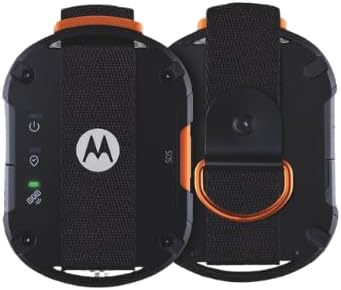
| Brand | Motorola |
| Special feature | Bluetooth, Satellite |
| Connectivity technology | Bluetooth |
| Supported application | GPS |
Requires a Satellite Subscription to use
Ingress Protection: Ingress Protection (IP68), Drop tested on to steel, Waterproof: Up to 1.5m for 30 minutes, MIL SPEC 810H: Resistant to vibration: Category 4. Resistant to humidity and salt mist, Thermal shock: handles low to high
Setting Up/Pairing – Upgrade your smartphone into a satellite-enabled messenger with the motorola defy satellite link, a Bluetooth accessory that unlocks a whole new world of always-on connectivity.
Put anxious minds at ease – You may be a confident and experienced explorer, but it can be easy to forget how the people back home feel when you’re venturing into the wilderness. Simply press the check-in button and send your coordinates or a message
A reliable lifeline – You wouldn’t drive without car insurance or go on overseas adventures without travel insurance. Through its superior connectivity, the motorola defy satellite link gives you an added layer of safety and a reliable SOS emergency button
Complete your essential kit – Whether work or play takes you to a remote location, you’re experiencing signal blackspots or are just tired of inconsistent reception, the motorola defy satellite link is a must-pack accessory
ZOLEO Two-way Satellite Communicator
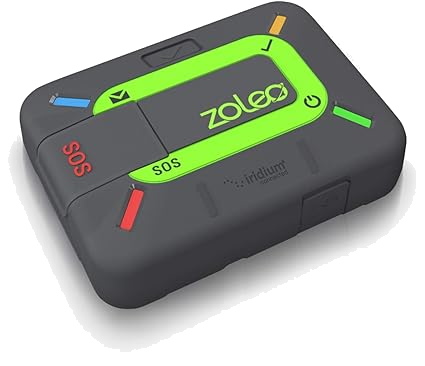
| Brand | ZOLEO |
| Special feature | Bluetooth, Satellite |
| Connectivity technology | Bluetooth |
| Supported application | Contacts, GPS |
Global satellite messaging: Stay connected beyond cell coverage, use ZOLEO with your smartphone to transmit text messages and e-mails over the Iridium satellite network, cellular or Wi-Fi using the lowest-cost network available (service plan required)
Emergency SOS: Send an SOS alert with your GPS location to 24/7 emergency monitoring centre if something goes wrong, or access Medical Assist for non-emergency help
Dedicated SMS number: An assigned ZOLEO SMS number and email enables contacts to reach out directly when you’re off the grid
Check-in: Send unlimited check-ins via the ZOLEO device or app, included in your plan
Location sharing: Include GPS coordinates in a message or check-in, or share waypoints at regular intervals (optional add-on)
Rugged with long battery life: IP68-rated for superior durability; over 200 hours of battery life
Affordable monthly service: Airtime monthly plans from just £18; unlimited SOS, check-in, and Wi-Fi messages included
Plus: Supports weather forecasts, easy device sharing, and long messages (900 characters)
Garmin inReach Mini 2
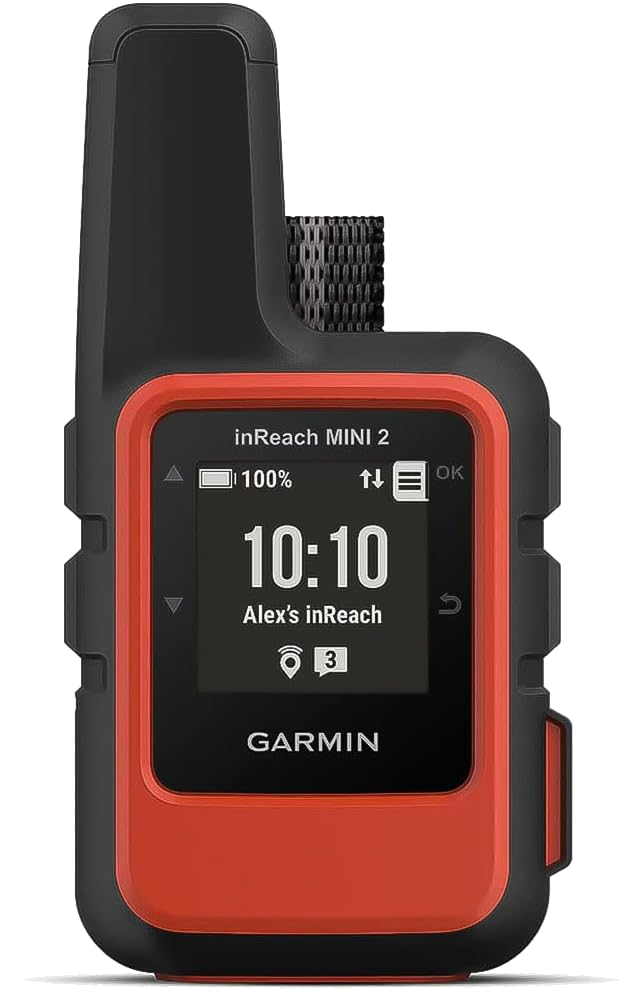
| Brand | Garmin |
| Special feature | Bluetooth, Satellite |
| Connectivity technology | Bluetooth, USB |
| Supported application | Contacts, GPS |
Compact, lightweight satellite communicator enables two-way messaging and interactive SOS globally (Active satellite subscription required. Some jurisdictions regulate or prohibit the use of satellite communication devices.).Special Feature:Bluetooth.Water Resistant: Yes
Navigate back to where you started by using TracBack routing
Share your location with loved ones back home at any time (active satellite subscription required) by using your MapShare page or with your coordinates embedded in your messages
Get accurate heading information using the digital compass — even when you’re not moving
Sync with the Garmin Explore app and website on your compatible smartphone for trip planning and topographical mapping, and create waypoints, courses, activities and collections you can sync to your device
Pair with Garmin devices, such as wearables and handhelds, and use them to send and receive messages and trigger an SOS (active satellite subscription required)
Battery life: up to 14 days in 10-minute tracking mode
Last thoughts
It is important to recognize that a satellite communicator represents a valuable investment in personal safety, providing reliable communication capabilities in remote or emergency situations where traditional networks may be unavailable.
Although no device can provide absolute protection, the utilization of these tools can greatly enhance the likelihood of receiving assistance during critical moments when it is needed most.
Always pair technology with thorough preparation.
- Take wilderness survival and first aid courses
- Carry appropriate safety gear
- Inform others of your travel plans
- Understand the limitations of your communication device
Stay safe, stay prepared, and enjoy your travels!

Article written by Nige.
Last update: December 2025
Nige has travelled to various places all over the globe. He believes safety is paramount to any travelling or touring, he says, ‘once you feel safer, you enjoy the journey more’!
We may receive a commission if you purchase a product using the affiliate links on any page of this website. This is at no cost to the purchaser, however does support our website and